
rapiro に nodejs + express
dotinstall で
node.js と express を以前やったこともあり
今回は
RAPIRO(ラピロ)をWebサーバにする
を参考に
node.js をインストール
apache は以前インストールしたことがあるので
今回は node.js にしてみます
まずは sshでログイン
そして
node.js のバージョン管理ツール nodebrew のインストール
curl -L git.io/nodebrew | perl - setup
次に環境変数の設定
vim .bashrc
で
一番下の行へ
export PATH=$HOME/.nodebrew/current/bin:$PATH
を追記し保存
設定反映のため
source .bashrc
次にインストールだけど
基本的にはじめてやることは
再現性を求めるなら
同じバージョンを使うことが鉄則
でないと
自力で修正する手間が増える
nodebrew install-binary v0.10.3
これでインストール
次に使用するバージョンを設定するため
nodebrew use v0.10.3
インストールしているバージョンと
現在利用設定しているのを調べるなら
nodebrew list
もし1つだけだと
v0.10.3

current: v0.10.3
となる
次に express のインストール
まず作業ディレクトリを作成し
そこへ移動して実行する
mkdir Rapiro
cd Rapiro
次にプロジェクトの初期設定
npm init
でOK
npm はパッケージ管理で
ubuntu なら apt-get
centOS なら yum のようなもの
このコマンド実行で
package.json
が作成される
今回は全部 enter してみた
以下、質問内容
This utility will walk you through creating a package.json file.
It only covers the most common items, and tries to guess sane defaults.

See `npm help json` for definitive documentation on these fields
and exactly what they do.

Use `npm install <pkg> --save` afterwards to install a package and
save it as a dependency in the package.json file.

Press ^C at any time to quit.
name: (Rapiro)

version: (0.0.0)

description:

entry point: (index.js)

test command:

git repository:

keywords:

author:

license: (BSD)

About to write to /home/pi/Rapiro/package.json:

{
  "name": "Rapiro",
  "version": "0.0.0",
  "description": "ERROR: No README.md file found!",
  "main": "index.js",
  "scripts": {
    "test": "echo \"Error: no test specified\" && exit 1"
  },
  "repository": "",
  "author": "",
  "license": "BSD"
}


Is this ok? (yes)
これで最後に
npm WARN package.json Rapiro@0.0.0 No README.md file found!
となる
次に express のインストール
npm install express --save
インストール完了したら
vim app.js
でファイル作成
内容は
var express = require('express')
var app = express()

app.get('/', function (req, res) {
  res.send('Hello World!')
})

var server = app.listen(3000, function () {

  var host = server.address().address
  var port = server.address().port

  console.log('Example app listening at http://%s:%s', host, port)

})
これは
node.js express の hello world のコード
http://expressjs.com/starter/hello-world.html
ファイルが作成できたら実行
node app.js
すると
Example app listening at http://0.0.0.0:3000
で3000ポートまちになるので
ブラウザで
http://192.168.10.159:3000/
というように
Rapiro のIP:3000
でアクセスすると
hello world が表示される
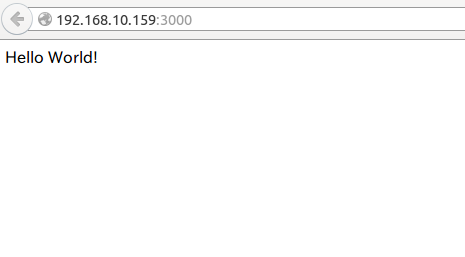
なお、終了は ctrl +c でOK
もっと詳しく node.js をやるなら
ドットインストールの node.js がおすすめ

コメント